> ## Documentation Index
> Fetch the complete documentation index at: https://docs.creator.fun/llms.txt
> Use this file to discover all available pages before exploring further.
# Create an Account
> Sign up for Creator.fun and get your Solana wallet ready in minutes — no crypto experience required.
Creator.fun is open to everyone. You don't need a crypto wallet, any prior blockchain knowledge, or even a username to get started. All you need is an email address or an existing Google account.
 ## Sign-in options
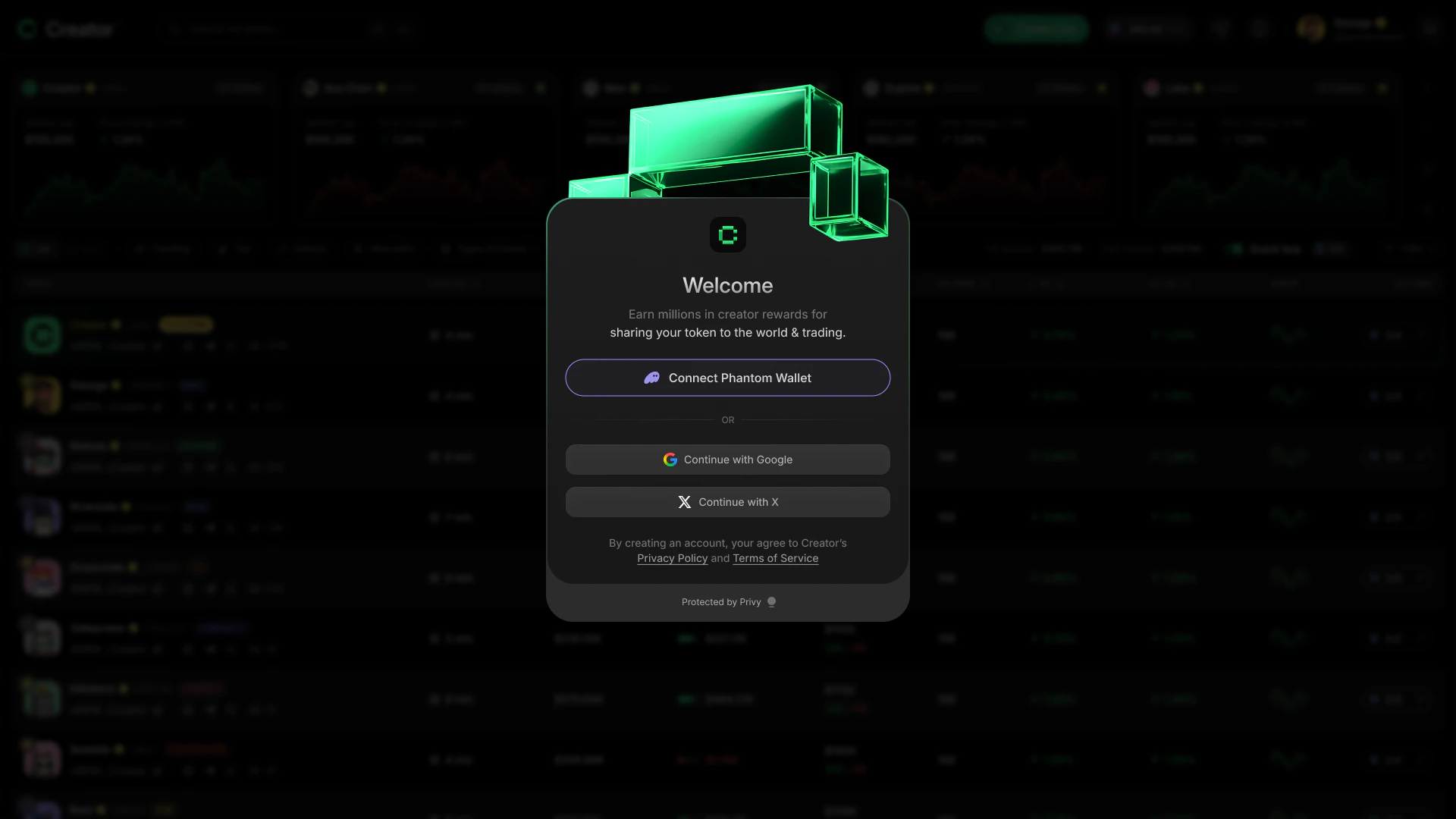
When you visit [app.creator.fun](https://app.creator.fun), you'll land on the login screen. You have three ways to sign in:
* **Email** — enter your email address and Creator.fun sends you a one-time verification code
* **Google** — sign in with your existing Google account in one click
* **Phantom wallet** — connect an existing Phantom wallet if you already have one
If you're new to crypto, email or Google is the easiest path. You can always connect a Phantom wallet later from your profile.
After you sign in for the first time, Creator.fun automatically creates an embedded Solana wallet for you. This wallet is your dedicated trading account on the platform — you don't need to install any browser extension or manage seed phrases to use it.
## How to create your account
Open [app.creator.fun](https://app.creator.fun) in your browser. You'll see the Creator.fun login screen.
Pick whichever method works best for you:
* **Email**: Type your email address into the field and click **Continue**. Check your inbox for a verification code, then enter the code on the next screen.
* **Google**: Click **Continue with Google** and complete the Google sign-in flow in the pop-up window.
* **Phantom wallet**: Click **Connect Phantom Wallet** if you have the Phantom browser extension installed. Approve the connection request in Phantom.
After you sign in for the first time, Creator.fun creates your embedded Solana wallet automatically. You'll see a brief loading screen that says "Creating your wallet…" — this usually takes just a few seconds.
Once complete, you're taken directly to the onboarding flow.
## What is an embedded wallet?
An embedded wallet is a Solana wallet that Creator.fun creates and secures on your behalf. Unlike a standalone wallet app such as Phantom, you don't need to write down a seed phrase or install anything extra.
Your embedded wallet is where your SOL and any creator coins you buy are held. It's protected by [Privy](https://privy.io), a trusted wallet infrastructure provider used by many Solana applications.
You can also export your private key from the platform at any time if you want to use your wallet in another app.
If you signed in with a Phantom wallet instead of email or Google, Creator.fun still creates a separate embedded wallet for you. Your Phantom wallet and your Creator.fun embedded wallet are distinct accounts.
## Signing in as a returning user
If you've signed in before, the login screen shows a **Welcome Back** message with the account you used. Click **Go to Dashboard** to pick up where you left off.
To switch accounts, click **Logout** on that screen first, then sign in with a different method.
## Guest access
You can browse Creator.fun without an account by clicking **Continue as guest** on the login screen. As a guest you can view tokens and read conversations, but you can't trade or earn Creator Points. Create an account when you're ready to start trading.
## Sign-in options
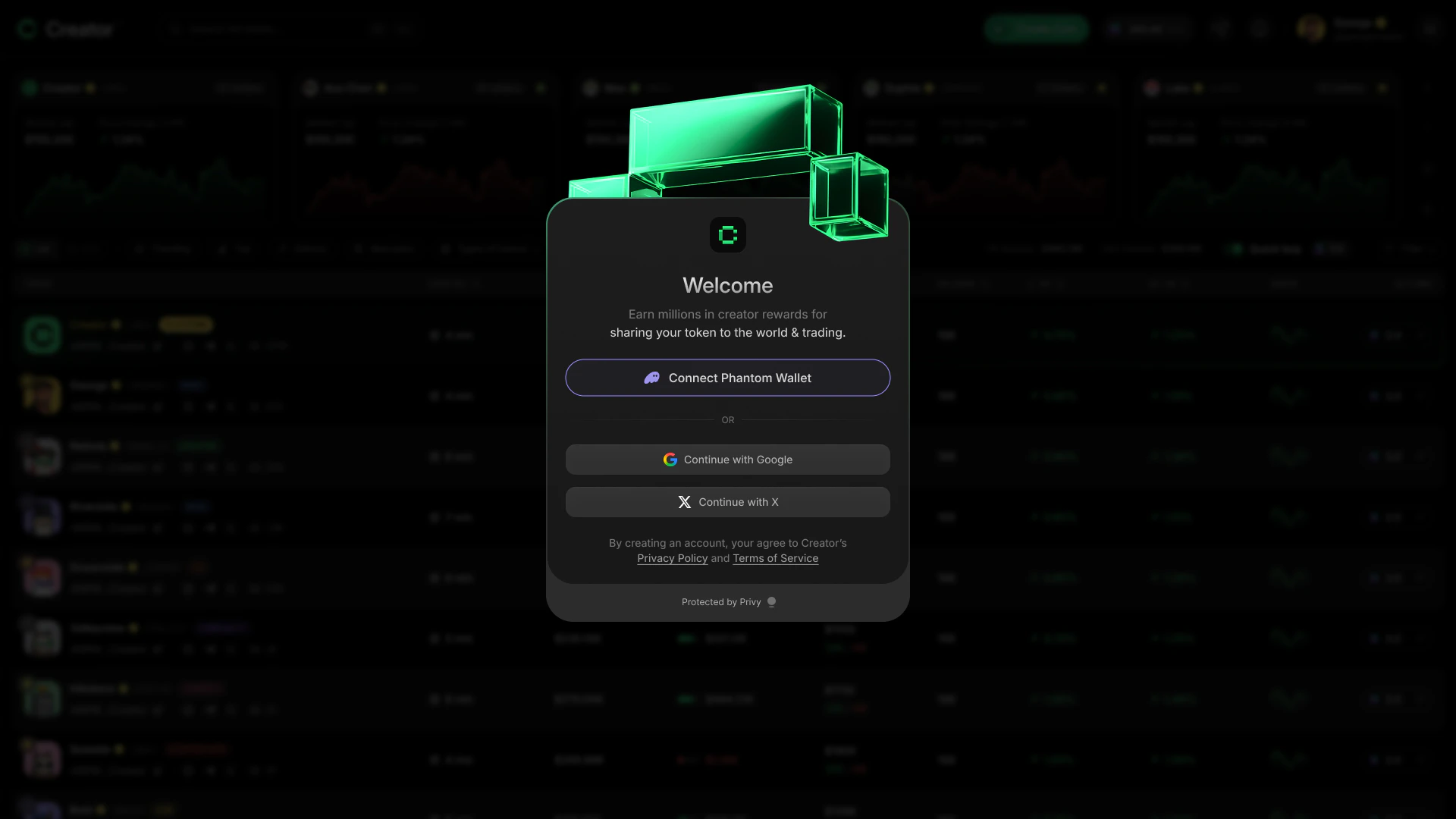
When you visit [app.creator.fun](https://app.creator.fun), you'll land on the login screen. You have three ways to sign in:
* **Email** — enter your email address and Creator.fun sends you a one-time verification code
* **Google** — sign in with your existing Google account in one click
* **Phantom wallet** — connect an existing Phantom wallet if you already have one
If you're new to crypto, email or Google is the easiest path. You can always connect a Phantom wallet later from your profile.
After you sign in for the first time, Creator.fun automatically creates an embedded Solana wallet for you. This wallet is your dedicated trading account on the platform — you don't need to install any browser extension or manage seed phrases to use it.
## How to create your account
Open [app.creator.fun](https://app.creator.fun) in your browser. You'll see the Creator.fun login screen.
Pick whichever method works best for you:
* **Email**: Type your email address into the field and click **Continue**. Check your inbox for a verification code, then enter the code on the next screen.
* **Google**: Click **Continue with Google** and complete the Google sign-in flow in the pop-up window.
* **Phantom wallet**: Click **Connect Phantom Wallet** if you have the Phantom browser extension installed. Approve the connection request in Phantom.
After you sign in for the first time, Creator.fun creates your embedded Solana wallet automatically. You'll see a brief loading screen that says "Creating your wallet…" — this usually takes just a few seconds.
Once complete, you're taken directly to the onboarding flow.
## What is an embedded wallet?
An embedded wallet is a Solana wallet that Creator.fun creates and secures on your behalf. Unlike a standalone wallet app such as Phantom, you don't need to write down a seed phrase or install anything extra.
Your embedded wallet is where your SOL and any creator coins you buy are held. It's protected by [Privy](https://privy.io), a trusted wallet infrastructure provider used by many Solana applications.
You can also export your private key from the platform at any time if you want to use your wallet in another app.
If you signed in with a Phantom wallet instead of email or Google, Creator.fun still creates a separate embedded wallet for you. Your Phantom wallet and your Creator.fun embedded wallet are distinct accounts.
## Signing in as a returning user
If you've signed in before, the login screen shows a **Welcome Back** message with the account you used. Click **Go to Dashboard** to pick up where you left off.
To switch accounts, click **Logout** on that screen first, then sign in with a different method.
## Guest access
You can browse Creator.fun without an account by clicking **Continue as guest** on the login screen. As a guest you can view tokens and read conversations, but you can't trade or earn Creator Points. Create an account when you're ready to start trading.