Enabling Quick Buy from the dashboard
1
Go to the dashboard
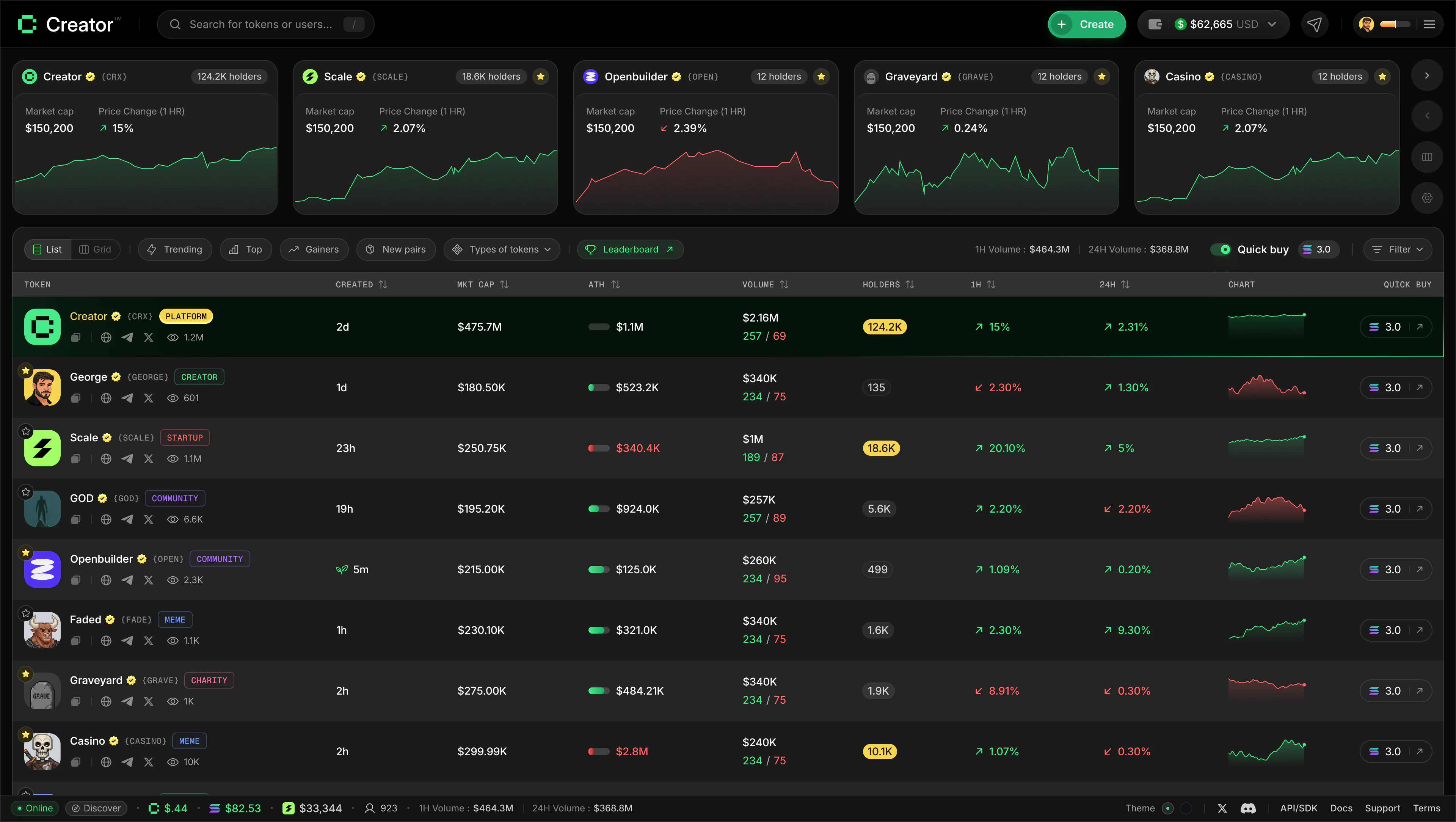
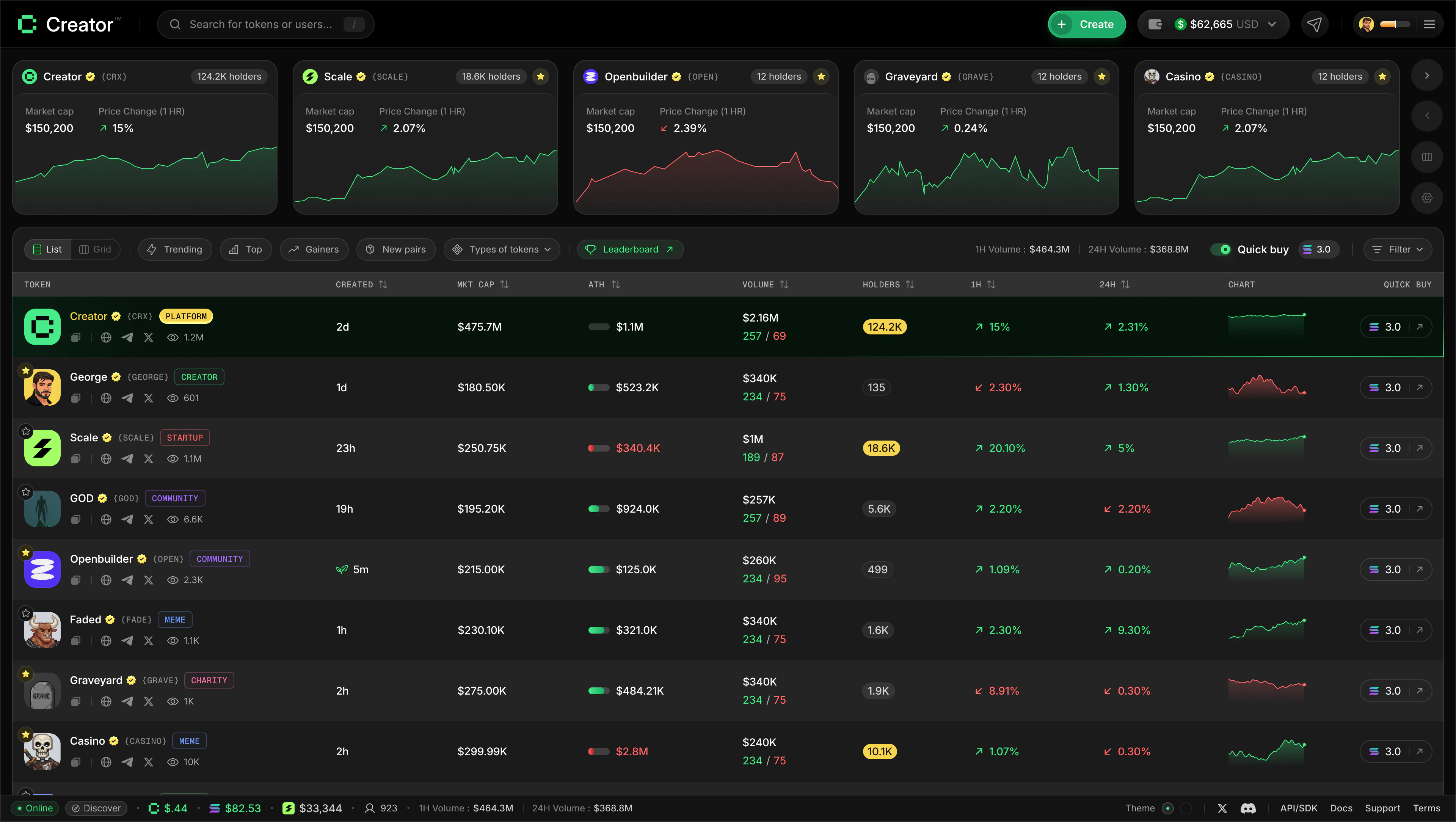
Navigate to the main dashboard at app.creator.fun/dashboard. You will see the filter bar running across the top of the token list.
2
Find the Quick Buy toggle
On the right side of the filter bar you will see a Quick buy label next to a toggle switch. Click the toggle to turn Quick Buy on. The toggle lights up when it is active.
3
Set your buy amount
Once the toggle is on, a small input field appears next to it showing a SOL amount (defaulting to 3.0 SOL if you have never changed it). Click into the field and type the amount of SOL you want to spend each time you quick-buy a token.The input accepts values between 0.001 SOL and 100 SOL. If you enter a value outside this range it will be automatically clamped to the nearest valid value when you leave the field.
4
Click any token card to buy
With Quick Buy enabled, every token card on the dashboard has a buy action attached to it. Click any token card and Creator.fun will immediately submit a buy transaction for your configured SOL amount on that token.A toast notification appears confirming the trade, showing how many tokens you received in exchange for your SOL.
5
Disable Quick Buy when you are done
When you are finished buying, click the toggle again to turn Quick Buy off. Token cards return to their normal navigation behaviour — clicking them opens the token details page instead of executing a trade.
Quick Buy on the token details page
The Quick Buy button also appears inside the trade panel on each token’s details page. It works the same way as a standard buy — you enter your amount, review the estimated output, and click the button to execute immediately. See How to Trade for the full walkthrough. The difference between the two:Things to know
- Quick Buy only supports buying. To sell, go to the token details page and use the trade panel.
- Your Quick Buy amount is saved between sessions — you do not need to re-enter it each time you visit.
- Quick Buy is only available on desktop at the top filter bar. On mobile it appears in a second row below the main filters.
- Each Quick Buy purchase is an on-chain transaction. Normal Solana network conditions apply, including potential transaction failures if the network is congested.